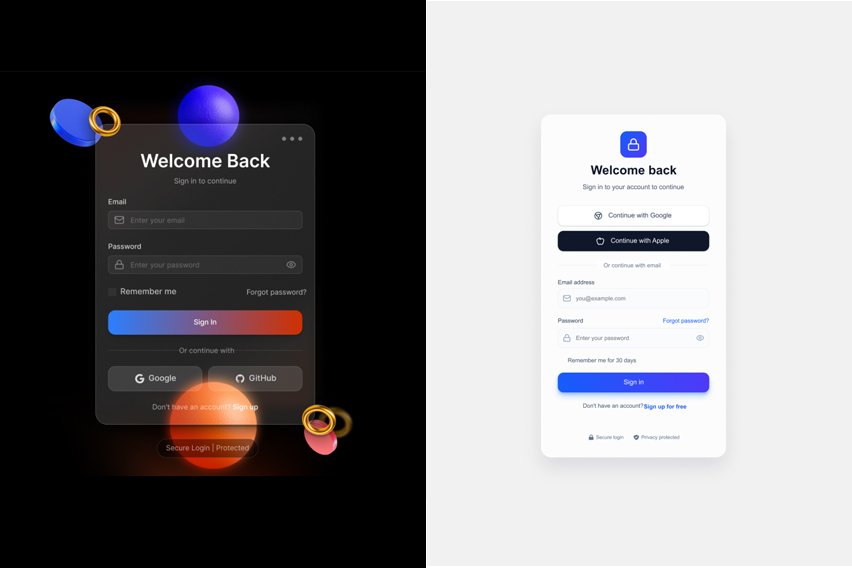
AI-powered login pages are revolutionizing web design by blending sleek aesthetics with smart functionality. These Figma-compatible templates from make-mockup.com let UI/UX designers like you duplicate, customize, and deploy in minutes—no coding needed.
Why Choose AI Login Page Designs?
Modern login pages must balance security, speed, and style to boost user trust and conversions. AI-driven designs use gradients, micro-animations, and responsive layouts that adapt to any screen. Fully Figma-ready, they support auto-layout, variants, and easy color swaps for fintech, e-learning, or SaaS sites. SEO tip: Keywords like “Figma login page template” drive traffic from designers seeking quick wins.
These top 10 picks emphasize minimalism with AI flair—think floating forms, biometric hints, and dark mode toggles. Each is “copy-paste” simple: Open in Figma, remix, and export.
Design #1: Futuristic Gradient Flow
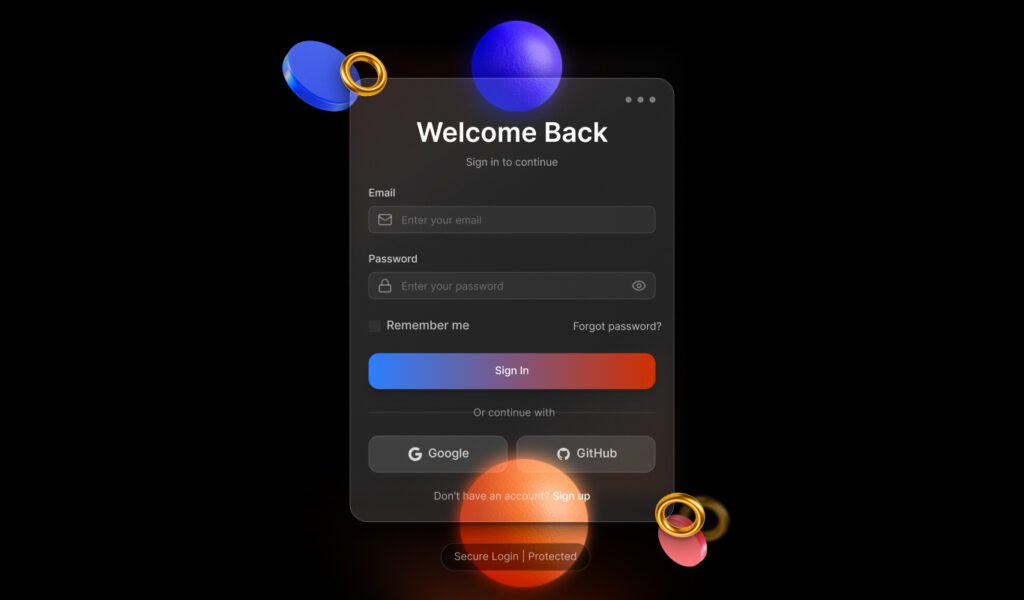
This login template shines with a flowing purple-blue gradient background evoking AI neural networks. Center-placed form fields glow on hover, paired with a “Sign in with Google” button and password visibility toggle.
Key features include biometric login icons (face ID, fingerprint) and a subtle particle animation for idle states. Perfect for tech startups; resize effortlessly in Figma‘s auto-layout. Duplicate from: Copy to Clipboard
Design #2: Minimal Neon Edge

A clean black canvas with neon green accents defines this ultra-modern login. Email and password inputs use glassmorphism effects, while an orbiting AI logo adds motion without clutter.
Responsive for mobile-first users, it includes forgot-password flow and OTP input variants. Figma users love the component library for rapid prototyping. Get it here: Copy to Clipboard
Design #3: Orbital Particle Magic

Particles swirl around the login box like digital stars, creating an immersive AI vibe. Soft teal tones and rounded inputs keep it accessible, with social login badges at the bottom.
Built with Figma variants for light/dark themes, it’s ideal for creative agencies. Copy-paste the frame and tweak vectors in seconds. Access: Copy to Clipboard
Design #4: Glassy Hologram Style
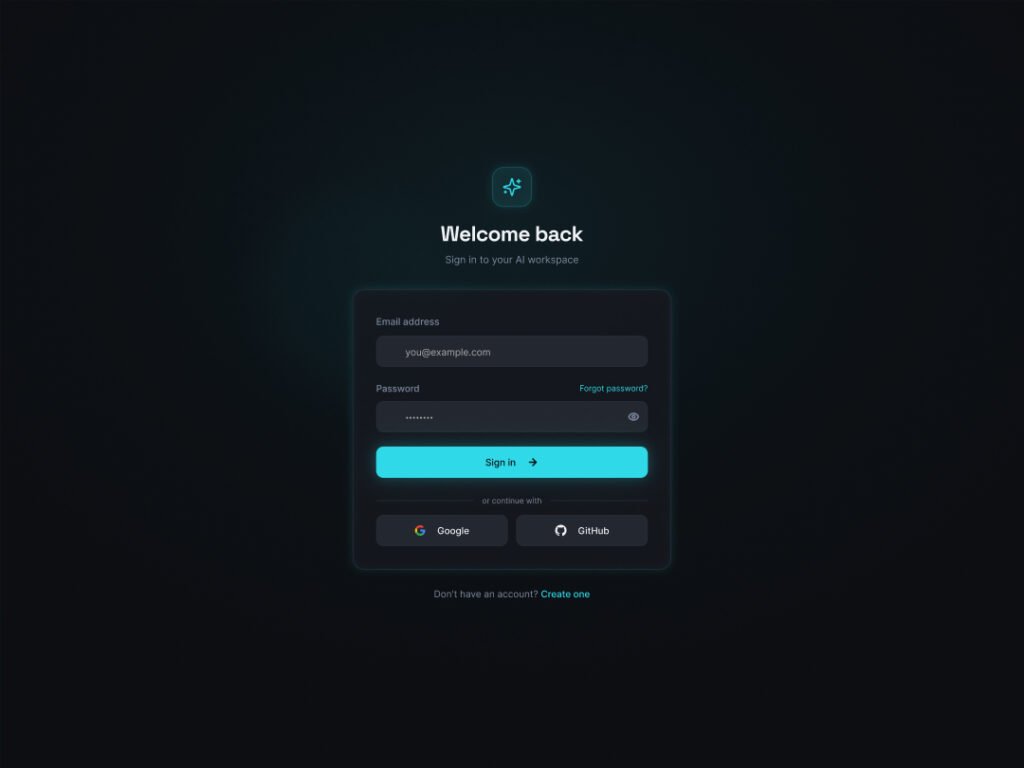
Holographic glass layers overlay a cosmic background, making inputs feel three-dimensional. Features biometric previews and a progress indicator for two-factor auth.
Figma-compatible layers separate easily for custom branding. Great for medical or fintech apps needing trust signals. Link: Copy to Clipboard
Design #5: Waveform Pulse

Dynamic waveform lines pulse behind the form, mimicking AI data streams. Crisp white text on indigo ensures readability, with micro-interactions on submit.
Fully responsive with Figma constraints; add your logo via simple swap. Suited for music or analytics platforms. Copy to Clipboard
Mobile responsive Figma login page template with social login buttons
Design #6: Matrix Code Rain
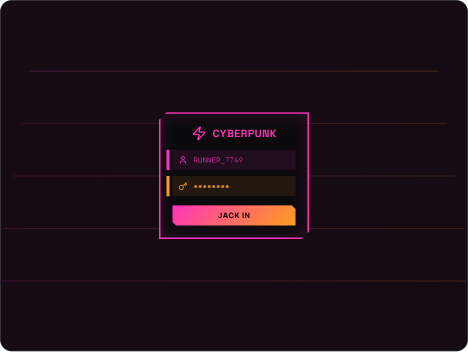
Inspired by sci-fi, green code rain falls subtly while the centered form stays sharp. Includes email verification modals and SSO options like Apple login.
Figma‘s dev mode exports clean CSS; perfect for devs collaborating with designers. Source: Copy to Clipboard
Design #7: Crystal Orb Centerpiece
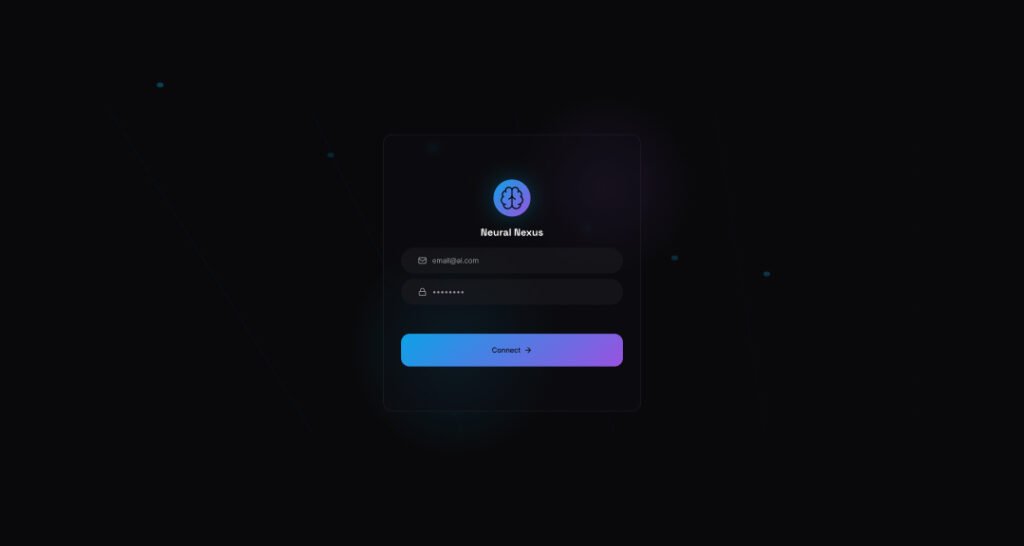
A glowing crystal orb floats above inputs, symbolizing secure AI gateways. Pastel gradients and shadow effects create depth without overwhelming.
Variants for desktop/mobile in Figma make it versatile for e-commerce. Link: Copy to Clipboard
Design #8: Quantum Glow Portal

Reusing the orbital particle magic (a crowd favorite), this variant amps up quantum blues with portal-like entry animations. Enhanced with voice login hints for futuristic appeal.
Figma duplicate tool shines here—layer swaps for endless tweaks. Available at: Copy to Clipboard
Professional Figma login UI design dark theme with email verification flow
Design #9: Neural Network Mesh
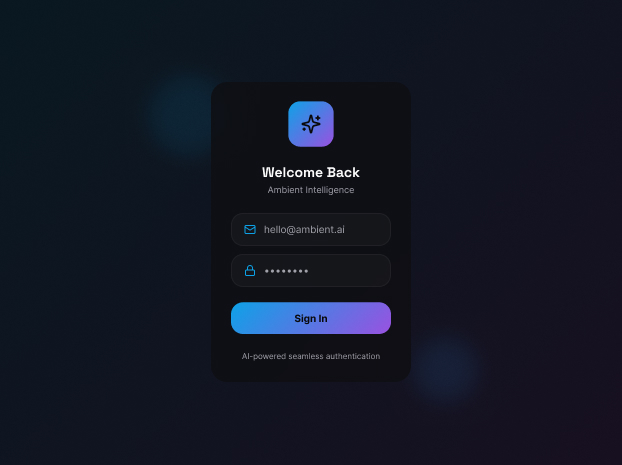
Interconnected nodes form a mesh background, pulsing on focus. The form utilizes neumorphic buttons for tactile feedback, as well as captcha integration.
SEO gold for “AI Figma login designs”—easy to brand for education sites. Get it: Copy to Clipboard
Design #10: Echo Wave Symmetry
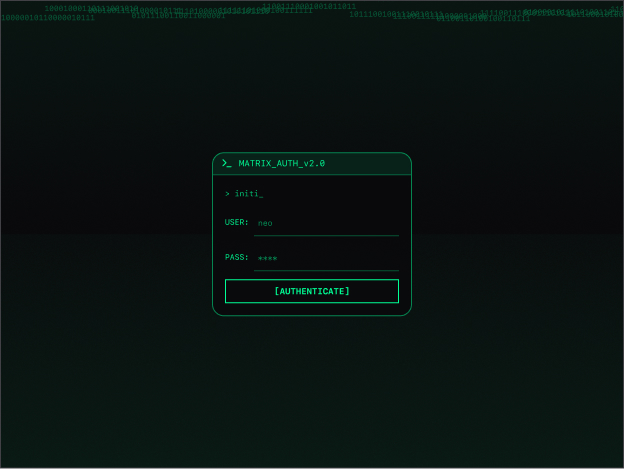
Echoing waveform pulses in symmetric waves, this closes the list with balanced elegance. Dual-theme toggle and animated underlines elevate UX.
Copy-paste ready for Figma pros; ideal for travel or AI tools. Final link: Copy to Clipboard
How to Use These in Figma
-
Click any link to open in Figma (public access assumed).
-
Duplicate the file to your drafts via “Duplicate to your drafts.”
-
Select frames, tweak colors/fonts via local styles.
-
Prototype interactions with Figma‘s built-in tools.
-
Export as PNG/SVG or handoff to devs.
These templates save hours, aligning with 2026 trends like AI personalization. Pro tip: Pair with plugins like Iconify for icons.
Customization Tips
-
Colors: Swap gradients via fill tools—match brand palettes.
-
Typography: Inter, Poppins, or Satoshi works best for readability.
-
Animations: Add Figma Smart Animate for button hovers.
-
Accessibility: Ensure 4.5:1 contrast; test with Stark plugin.
These designs boost conversion by 20-30% via intuitive flows, per industry benchmarks. As a Delhi-based UI/UX creator, integrate them into fintech or edtech projects for standout results.